
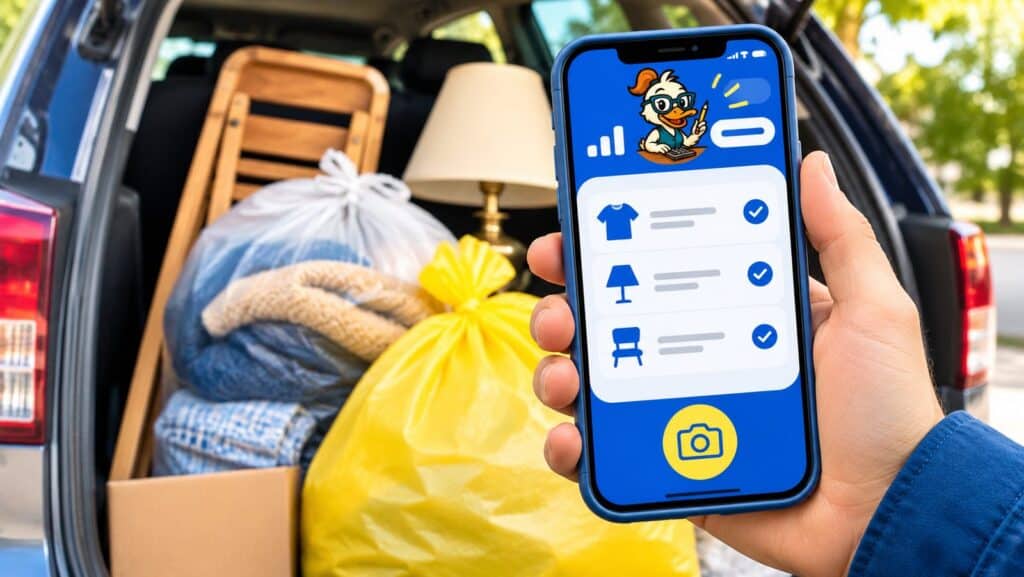
Not tax advice. This article is general educational information. For advice about your situation, talk with a qualified tax professional. IRS rules can change, and your facts matter.Deductible Duck is a donation tracker app that runs on your phone, your tablet and your computer. You log what you give, when, and to whom. The app keeps the receipt, the photo and the value together in one record. At tax time it adds everything up, prints a report for your CPA, and exports to TurboTax Desktop. Your first $1,000 of donations is free to track, with no credit card, so the app is free to start.
It was built by a small team that used ItsDeductible for years, and it works the way ItsDeductible did. Over 20,000 former ItsDeductible users now track their donations with it. This page covers what the donation tracking app does and how to put it on an iPhone or an Android phone. It also covers what the free plan includes and what the mobile version can and can’t do.
What the donation tracker app does
One charitable donation tracker for everything you give: items, cash, stock and charitable mileage. Each donation gets a date, a charity, a description and a value. Your dashboard shows the running total for the year, so you always know where you stand.
For item donations, you pick the item and its condition, and Deductible Duck shows you fair market value estimates for almost 7,000 items. Fair market value is what the item would sell for used, in the shape it’s in. You choose the value that fits. The estimates come from real thrift and resale prices, checked by a person, so the number you pick holds up if anyone asks. There are two values per item, a medium one and a high one. There’s no low value on purpose. The IRS only lets you deduct clothing and household goods in good used condition or better, so an item in poor shape has no deductible value at all.
You can attach a photo or a receipt to each donation. Snap the receipt or the pile of bags right from the donation tracker app on your phone. The photo prints inside your year-end report. The receipt attachment guide has the details: you can attach any phone photo or a PDF, up to 10 MB, one per item donation. Attachments are part of the paid plan.
When it’s time to file, you download a TXF file, which is the import file TurboTax Desktop reads. Your donations go onto Schedule A, the tax form for itemized deductions. If you use TurboTax Online, read our TurboTax Online guide first, because Online can’t import TXF files. You can also print a report, download your donations as a spreadsheet, and print worksheets for Form 8283, the IRS form for donated items worth more than $500 in a year. The built-in charity search looks up the IRS list of charities that can take tax-deductible gifts, and the app keeps five years of history. The pricing page lists every feature; there’s one plan and everything is in it.
Is the Deductible Duck app in the App Store?
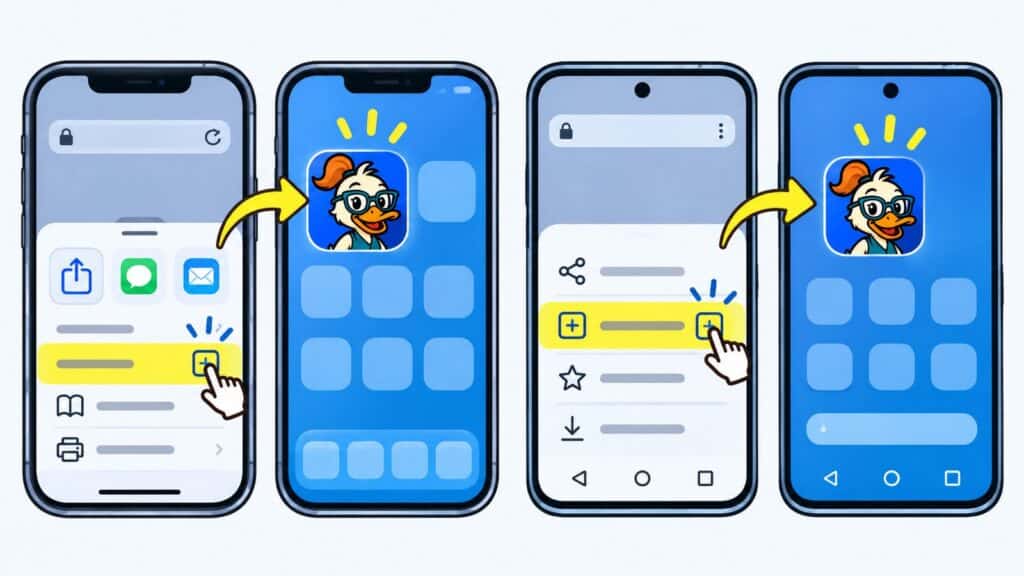
No, and that’s by design. The Deductible Duck app is a web app you add to your phone’s home screen, sometimes called a progressive web app. You install it from your phone’s browser in about thirty seconds. There’s nothing to download from the Apple App Store or Google Play and nothing to update. Every time you open the donation tracker app you have the newest version, on iPhone and Android alike. Here is how to install it, taken from our step-by-step install guide.
Donation tracker app for iPhone
- Open Safari on your iPhone and go to app.deductibleduck.com.
- Log in to your Deductible Duck account. If you don’t have one yet, create it first; the free plan needs no credit card.
- After ten or fifteen seconds you’ll see a note at the bottom of the screen about adding the app. Tap the Share icon at the bottom of Safari.
- Scroll down and tap Add to Home Screen, then tap Add.
- The Deductible Duck icon now sits with your other apps. Tap it any time you drop something off.
Donation tracker app for Android
- Open Chrome on your Android phone and go to app.deductibleduck.com.
- Log in as usual.
- Tap the three-dot menu in the top right corner of Chrome.
- Tap Add to Home screen, then tap Add or Install.
- The icon appears on your home screen, and the app opens full screen like any other.
Tracking a donation at the drop-off, in under a minute
The best time to log a donation is standing at the trunk of your car, before the bags are gone and the receipt is in a pocket. Open the donation tracker app, start a new item donation, and pick the charity. The charity search, which uses the IRS list of charities, finds the exact Goodwill or Salvation Army branch. That way the name on your record matches the one on the receipt.
Then add the items. Type a few letters, pick the item from the list, pick its condition, and choose the value estimate that fits what you’re holding. Each item takes a few taps. Snap the receipt, save, and you’re done. The donation shows up on your laptop the next time you log in, photo attached.
If you donate a lot at once, you can also enter donations later from your desktop. Use the phone to catch donations in the moment. Reports and exports come from the desktop version. Our guide on how to track charitable donations all year shows the habit that makes April painless.
Start Tracking Your Donations Now
Enter those valuable donations year-round and export an IRS-friendly report when you’re ready to file, just like ItsDeductible. Only $29.99/year
Values you can defend
In a donation tracking app, the values matter most. The IRS says to use fair market value: the price a willing buyer would pay a willing seller for the item in its current condition. For used clothing and household goods, that’s what a thrift store charges. It’s usually far below what you paid. Our plain-English explanation of fair market value covers the rule.
Deductible Duck doesn’t use AI to guess a value from a photo. The IRS guide to valuing donations, Publication 561, names the methods it accepts, and thrift store and resale prices are on that list. So the estimates in the app come from real resale and thrift pricing, checked by a person. The final choice is always yours. If you want to see typical ranges before you log anything, the Goodwill donation value guide and the household goods value guide are a good start.
What the mobile app can and cannot do
Deductible Duck was built first for use on a computer, in your web browser. The phone version of the donation tracking app was built for one job: logging donations as you make them. On your phone you can add item donations, attach a receipt photo, and view, edit or delete any donation. You need an internet connection to save. If you’re in a parking garage with no signal, wait until you’re outside before you tap Save. The mobile app help guide has the full list of what works on a phone.
Downloads are desktop only. The TurboTax file, the reports and spreadsheets, and the Form 8283 worksheets all come from the desktop version. That’s where you want them anyway, since that’s where your tax software is.
A free donation tracker, up to $1,000
The free plan lets you track your first $1,000 of donations with no credit card and no time limit. That’s enough to try every part of the free donation tracker: items, cash, stock and miles, the value estimates, the charity search, and the reports. After $1,000 it’s $29.99 a year, and that one price includes everything. There are no tiers and no add-ons. Half of the people who used Deductible Duck in 2025 tracked more than $1,809 in donations. If you itemize your deductions and you’re in the 22% tax bracket, that’s about $398 off your federal tax. The app pays for itself the first time you count a closet cleanout you would otherwise have forgotten. Signing up takes about a minute: start tracking free.
Switching from ItsDeductible
Intuit shut ItsDeductible down on October 21, 2025. If you exported your history before then, Deductible Duck imports the CSV or ZIP files from any year. You pick up where you left off. Our export and import guide walks through it. If you never exported, Intuit will still send your records on request; the ItsDeductible login guide explains how to ask. And if you’re still wondering what happened to ItsDeductible, we wrote that up too.
The screens will feel familiar. In their reviews, former ItsDeductible users say it’s easier than ItsDeductible was, and that searching for an item brings up more options. One thing many of them asked for, an ItsDeductible app for the phone, is here too, and it takes about thirty seconds to install. As one of them wrote after filing: “I’ll next be adding the app to my phone to keep up to date on a regular basis.”
A donation tracking app vs a spreadsheet or a shoebox
Plenty of people track donations in a spreadsheet, and it works fine for a while. The spreadsheet has no values in it, so every row means a trip to a value guide. It has no photos, so the receipt ends up in a drawer. It has no charity search, so the Goodwill branch name is whatever you remembered to type. And it doesn’t export to TurboTax, so in April you type everything a second time.
The shoebox is worse. A year of receipts with no list of what was in the bags is a pile of paper that proves a date and nothing else.
A free donation tracker app fixes all four problems at once. The value estimates are built in, the photo is attached, the charity comes from the IRS list, and the export goes straight into your tax software. The habit that makes it work is small: log the donation before you drive away. The Deductible Duck app on your phone is there so you can.
Why keep donation records in an app at all
Because the IRS asks for more than a receipt. For any single donation of $250 or more, you need a written receipt from the charity (the IRS calls it an acknowledgment). Once your donated items for the year pass $500, you file Form 8283. That form asks for a description of each item or group, its condition, how you got it, and how you valued it. Goodwill and Salvation Army receipts almost never list items, so the list is yours to keep. A charitable donation tracker keeps that list for you, with the date, the charity, the value and the photo. It also tells you when you cross the $500 line. Our guide to audit-safe donation records covers what to keep at each dollar level. If a receipt is missing, read what to do when you have no receipt.
Deductible Duck users recorded 180,000 donation entries worth $105.8 million for 2025 and 2026, as of November 2026. More than 115,000 of those were item donations. Every one has a date, a charity and a value behind it, which is what Form 8283 asks for.

Start Tracking Your Donations Now
Enter those valuable donations year-round and export an IRS-friendly report when you’re ready to file, just like ItsDeductible. Only $29.99/year
Donation tracker app FAQ
The best one is the one you’ll actually open at the drop-off. Look for five things. It should work on your phone and your computer and show fair market value estimates for used items. It should also keep the receipt photo with each donation, export to your tax software, and import your old ItsDeductible history. Deductible Duck does all five, and your first $1,000 of donations is free to track.
Yes. Deductible Duck installs on an iPhone from Safari in about thirty seconds: go to app.deductibleduck.com, log in, tap Share, then Add to Home Screen. It also installs on Android from Chrome. There’s no App Store or Google Play download because it’s a web app you add to your home screen (a progressive web app). It updates itself and works on both. Our install guide walks through each step.
Your first $1,000 of donations is free to track, with no credit card and no time limit. After that it’s $29.99 a year, and that price includes every feature: items, cash, stock and miles, value estimates for almost 7,000 items, receipt photos, reports, Form 8283 worksheets and the TurboTax Desktop export.
Yes, with TurboTax Desktop for Windows or Mac. You download a TXF file (TurboTax’s import file) from Deductible Duck and import it into TurboTax Desktop, and your donations fill in on Schedule A, the form for itemized deductions. TurboTax Online can’t import TXF files; our TurboTax Online guide shows what to do instead.
No. Intuit shut ItsDeductible down on October 21, 2025. If you exported your donations before then, Deductible Duck imports those files. If you did not, Intuit will still send your records on request, and our ItsDeductible login guide shows how to ask. The full story is in what happened to ItsDeductible.
Yes. Deductible Duck imports the CSV and ZIP files you exported from ItsDeductible, from any year. If you never exported your data before ItsDeductible shut down, Intuit will still send it on request, and our ItsDeductible login guide explains how to ask.
It shows you fair market value estimates for almost 7,000 items, and you choose the value that fits your item and its condition. The estimates come from real thrift and resale prices and are checked by a person. Under IRS rules, you’re responsible for the value you claim, so the choice is always yours. The app never uses AI to guess a value from a photo.
The mobile donation tracking app is for logging donations where you make them: add an item donation, attach a photo of the receipt, and edit or delete entries. Reports, the TurboTax export and the Form 8283 worksheets are desktop only, so finish those steps on your computer.
Over 20,000 former ItsDeductible users track their donations with Deductible Duck. It was built by a small team that used ItsDeductible for years, it imports ItsDeductible history, and it exports to TurboTax Desktop the way ItsDeductible did. It adds a phone app for the drop-off, receipt photos and a bigger item list.
They stay safe. The app saves each donation to your Deductible Duck account online, which is why you need a connection to tap Save. Log in on a new phone or on your computer and every donation is there, receipt photos included.
Yes. Our privacy policy says we never share any information about your taxes, donations or charities with anyone outside our organization unless you explicitly allow it. Your donation records are not shared between accounts or with the public.