
Background
Deductible Duck is now available as a mobile app on both iOS and Android. The app is not installed through the Apple App Store or the Google Play Store. Deductible Duck is installed differently. Deductible Duck is a progressive web app (commonly abbreviated PWA) and the install instructions are included before for each platform.
Jump to Instructions for Android or Apple iOS
Installing Deductible Duck on iOS
1. Using your iPhone, open mobile Safari
2. Navigate your mobile Safari to https://app.deductibleduck.com
3. Login to your Deductible Duck account, like you normally would
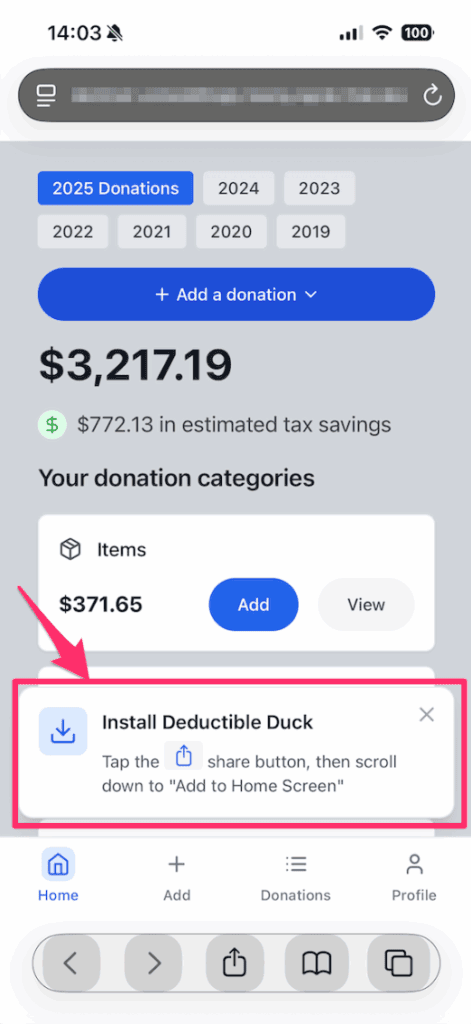
4. Once you are logged in, after about 10-15 seconds, you will see this notification at the bottom of your screen:
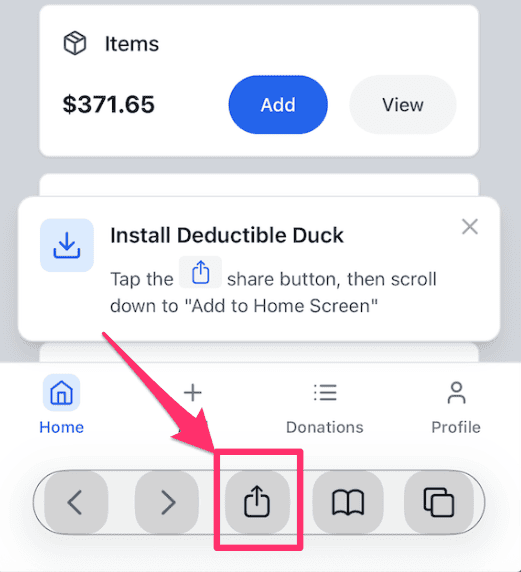
5. Tap the Share icon from Safari at the middle bottom of your screen:
6. You’ll see options to do lots of things, but you want to scroll to Add to Home Screen
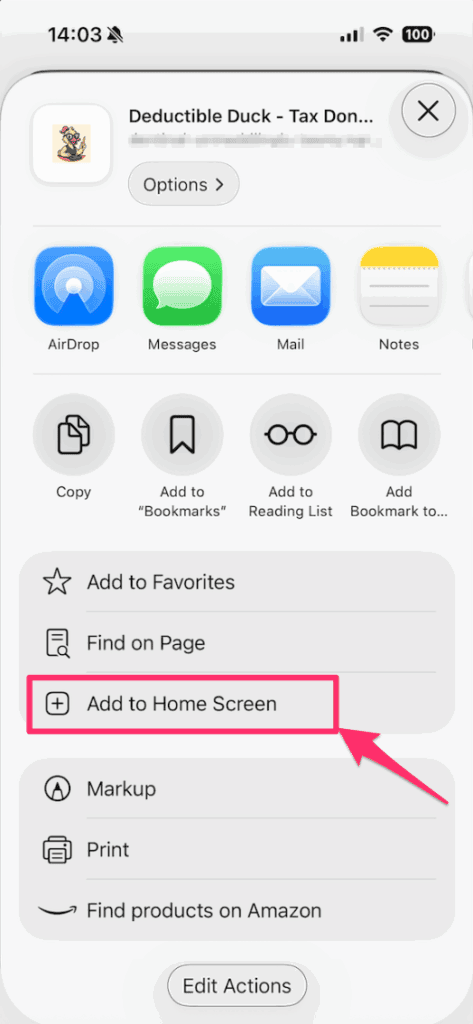
7. Tap that option, and you’ll be prompted to install Deductible Duck as an app on your iPhone. Click the Add button to complete it
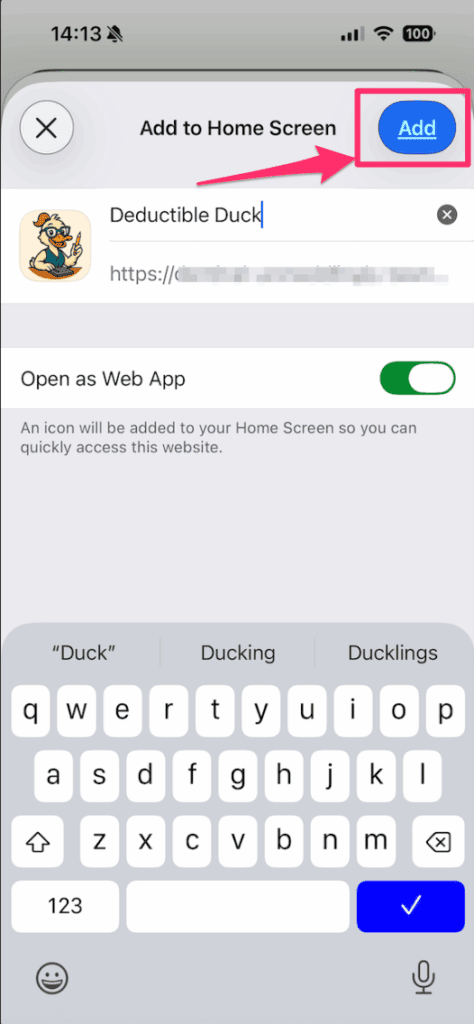
Now the app will appear as an icon in your app list!
You can access it whenever you are connected to the internet to record, manage or update donations while you’re on the move.
Installing Deductible Duck on Android
Deductible Duck is supported on any Android device, running Google Chrome. Install using these instructions:
- Open Chrome: Launch the Google Chrome app on your Android device.
- Navigate to Deductible Duck: https://app.deductibleduck.com
- Login to Deductible Duck as you normally would
- After that, Open the Menu: Tap the three-dot icon (More menu) in the top-right corner of the Chrome browser.
- And Select “Add to Home screen”: In the menu that appears, find and tap the “Add to Home screen” option.
- Confirm Installation: A pop-up will show Deductible Duck’s icon and name; tap the “Add” or “Install” button to place it on your home screen.
That’s it!
Limitations of the Mobile App
Deductible Duck is first, and foremost, a desktop web app. You will be able to do the most things the easiest using your desktop or laptop computer. The mobile app has been added to support the most common and requested use–to track donations as you drop them off using your mobile device. You must have a valid internet connection to be able to login to Deductible Duck and save your donations. Deductible Duck may lose data if you are in an area with flaky or no mobile data connections/internet.
With that in mind, the mobile app has been optimized to handle the following things:
- Adding donations, particularly item donations
- Viewing, editing or deleting donations
The mobile app cannot do the following things:
- You can’t generate any downloads (CSV, PDF, or HTML)
- You can’t export your file to TurboTax (TXF)
- You can’t access your Form 8283 Worksheets
If you need to perform those actions, you will need to switch to your desktop or laptop computer to perform them.